Skip to content
Quick start Product guide
● No phone app coding · Built for ESP32 makers & engineers

A dedicated phone control &
monitoring panel for ESP32

Arrange the dashboard on your phone, match your firmware with JSON keys, and generate an Arduino sketch directly from the project. No phone app to write, and your projects stay 100% on your phone.

01

24 control, display & layout widgets

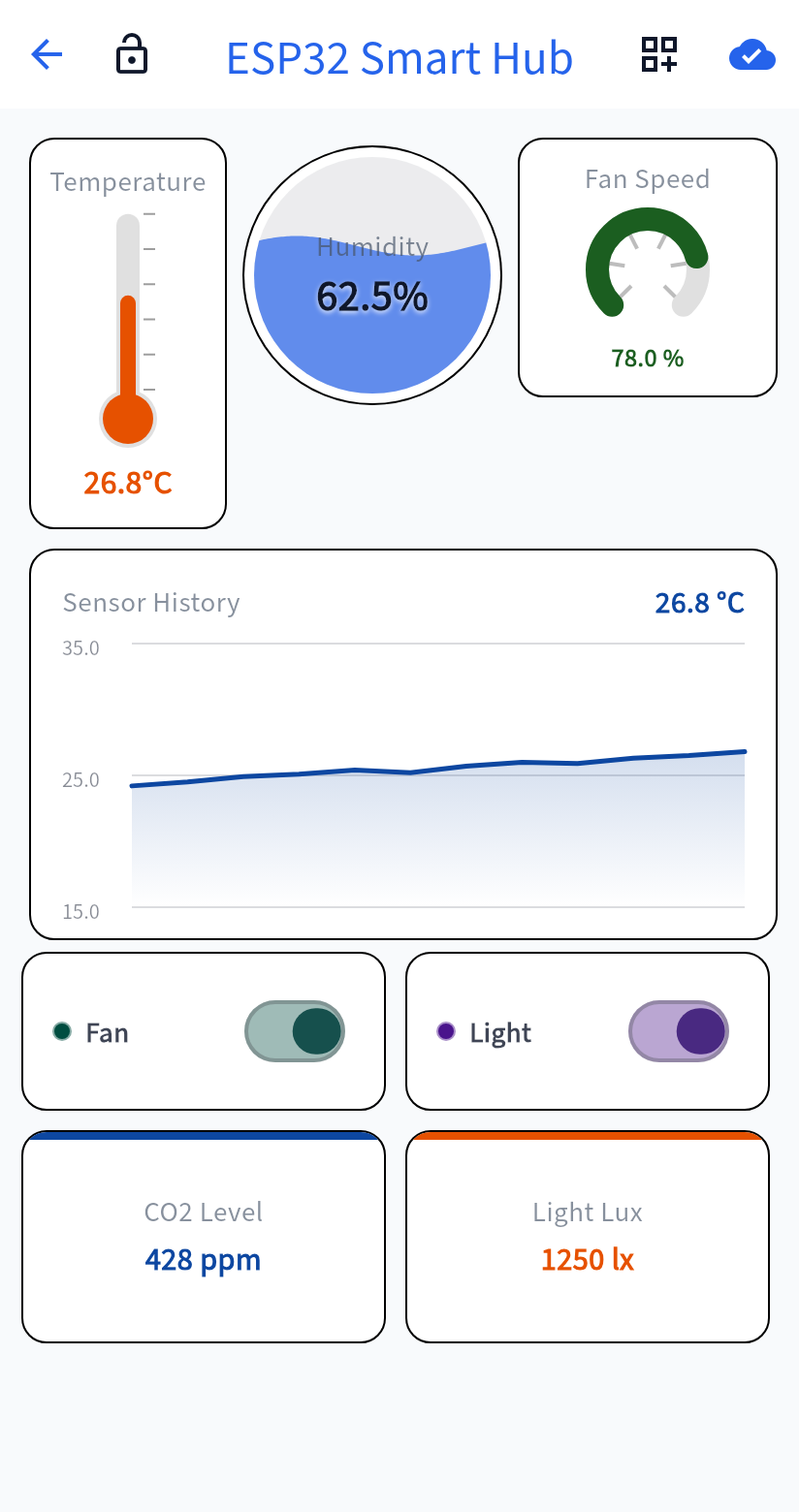
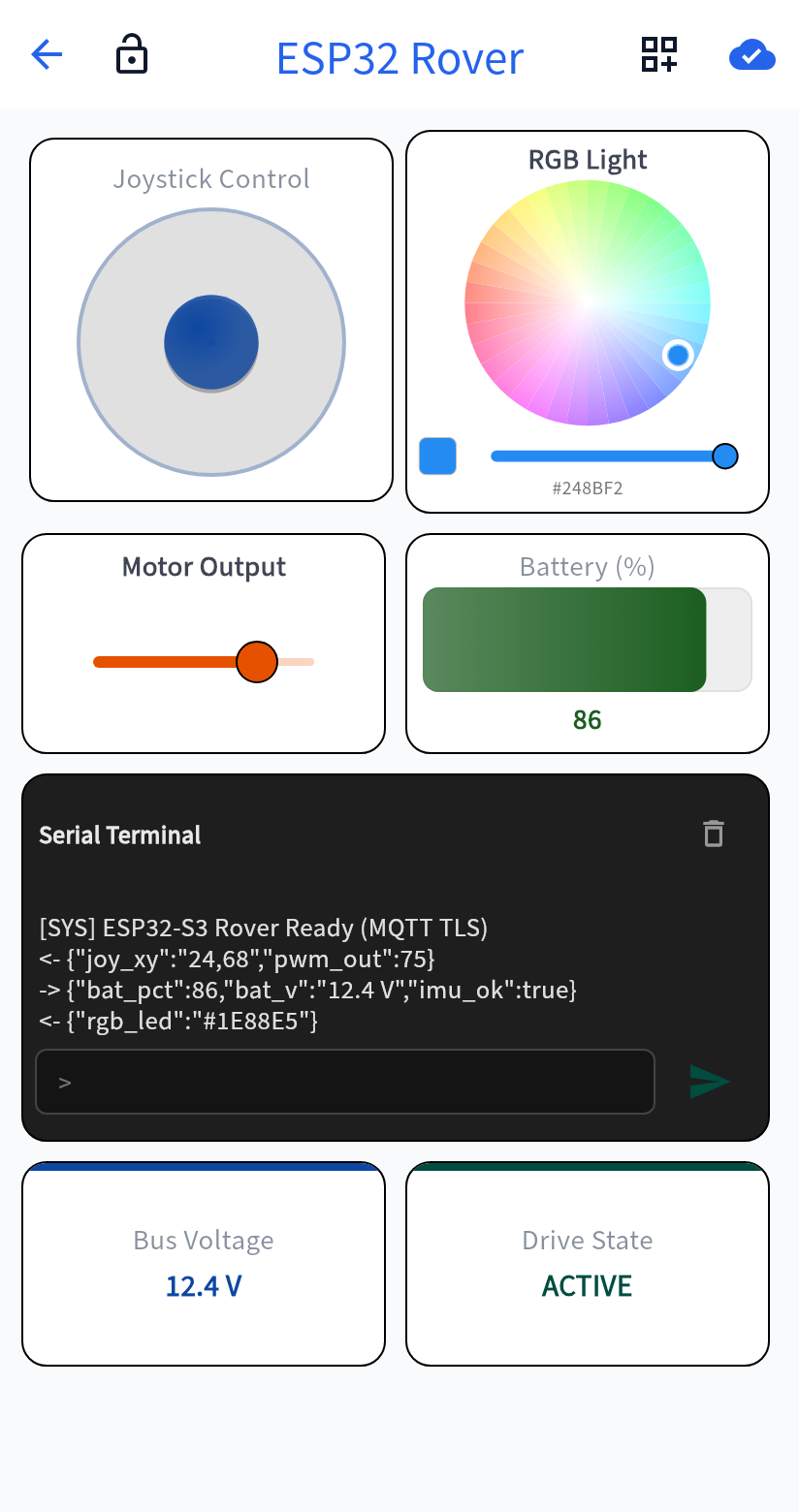
Thermometer, humidity wave ball, gauge, live line chart, joystick, RGB picker, and serial terminal.

02

One-tap Arduino (.ino) sketch generator

Every widget maps to firmware via a clean JSON key. Export ready-to-flash code with sensor pin bindings.

03

Local-first · BLE / WiFi / MQTT ready

No account required and no cloud lock-in. Free tier includes 1 project with 10 widgets; one-time purchase unlocks all.

Available for Android on Google Play. ● iOS version coming soon
WizDash live environmental dashboard showing thermometer, humidity ball, gauge, line chart, and switches
▲ Live sensor monitoring & switch controls
WizDash maker control dashboard showing joystick, RGB color picker, slider, level bar, and serial terminal
▲ Joystick, RGB picker & serial terminal
No account · Local storage
BLE direct connection
Local WiFi WebSocket
Bring your own MQTT broker (OTA)
Free tier · One-time purchase
HOW IT WORKS

From a blank project to a live dashboard

No phone app code to write—resize widgets on the grid, bind JSON keys, generate an Arduino sketch, and exchange live data

  1. 1

    Create a project

    Choose one connection mode for your ESP32 board (BLE, WiFi, or MQTT).

  2. 2

    Arrange the dashboard

    Add control, display, and layout widgets, and set a JSON key on every widget that sends or receives data.

  3. 3

    Generate the sketch and flash it

    WizDash builds an Arduino (.ino) sketch from the project. Add hardware actions, then flash it to the ESP32.

  4. 4

    Bind the device

    Once the board is bound, the phone dashboard sends and receives live sensor and control data.

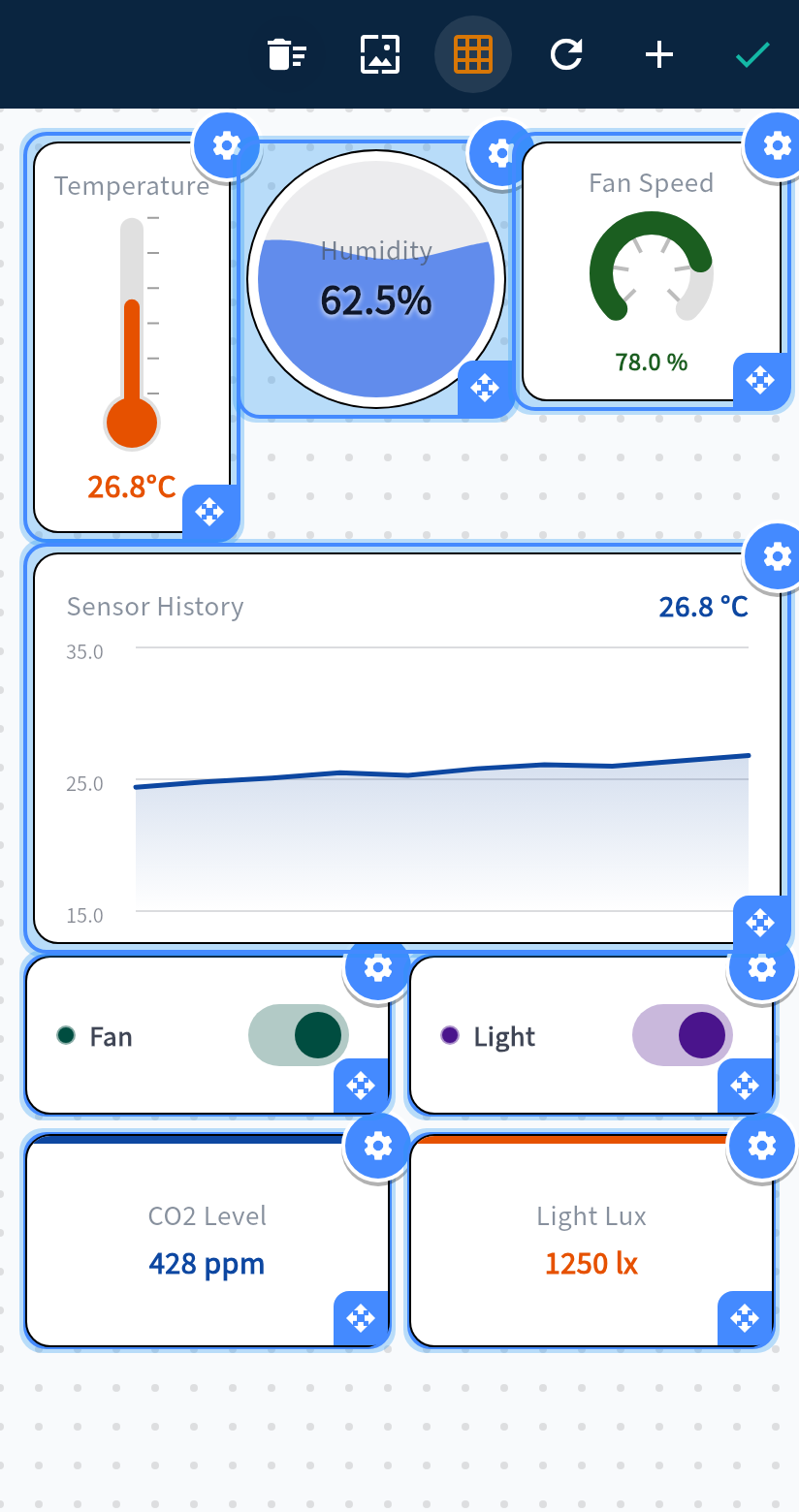
STEP A: Drag & resize on the grid
WizDash grid layout editor showing widget resize handles and settings
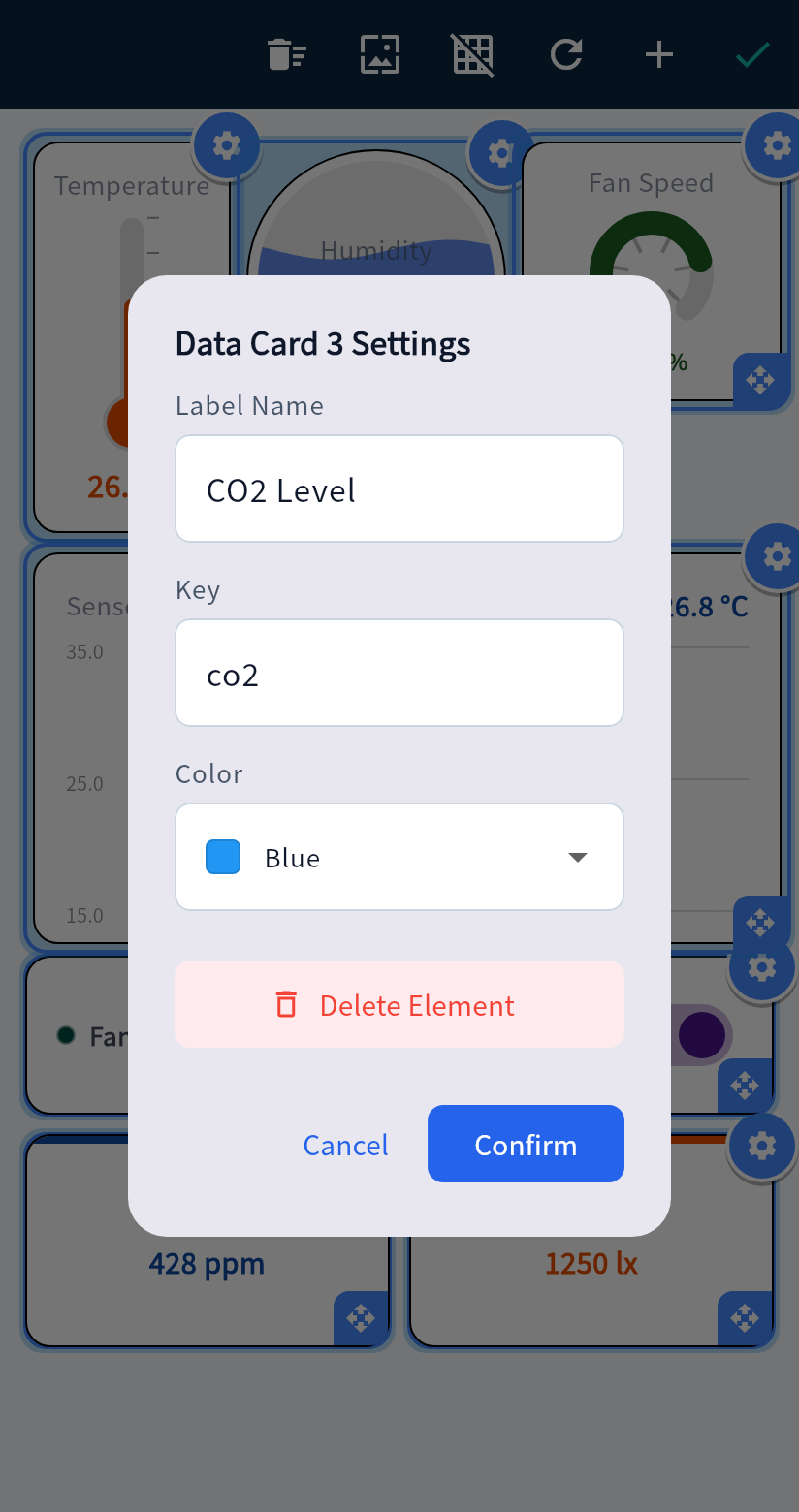
STEP B: Set widget label & JSON key
WizDash widget configuration dialog for label, JSON key, and color
STEP C: Bind & stream live data
WizDash live environmental dashboard streaming real-time sensor readings
BUILT FOR HARDWARE DEVELOPERS

Three connection modes × Arduino sketch generator

Match each situation without routing data through a WizDash server, complete with sketch generation and HTTPS OTA updates

CONNECTIONS · Three situations

Switch freely among BLE / WiFi / MQTT

Use BLE near the workbench, local WiFi WebSocket with no server in between, or connect through your own MQTT broker.
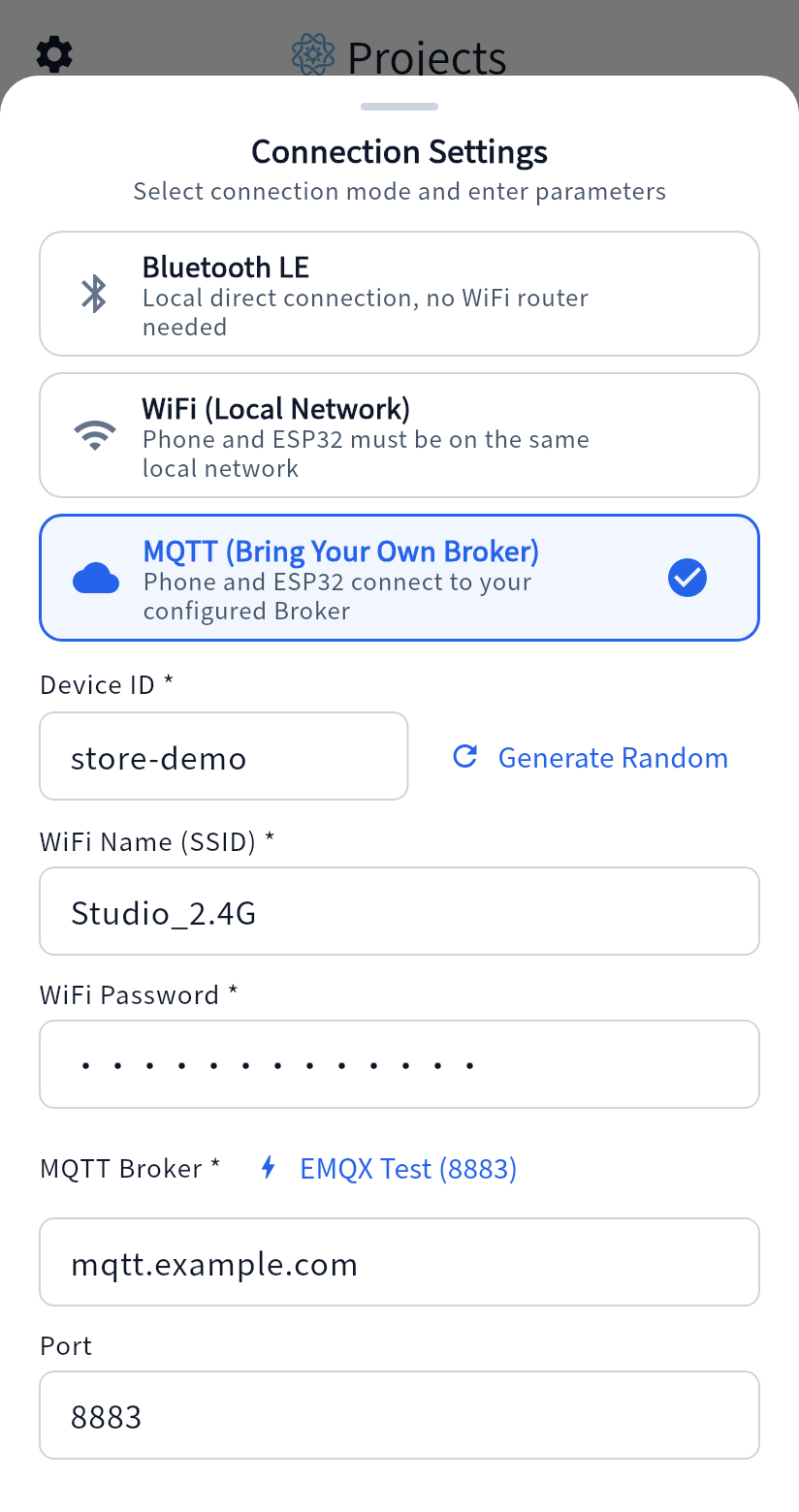
WizDash connection settings screen showing Bluetooth LE, local WiFi, and custom MQTT broker options
CODE GENERATOR · Ready to flash

Export Arduino (.ino) sketch in one tap

Automatically combines your widget JSON keys and sensor pin selections into a compilable Arduino sketch.
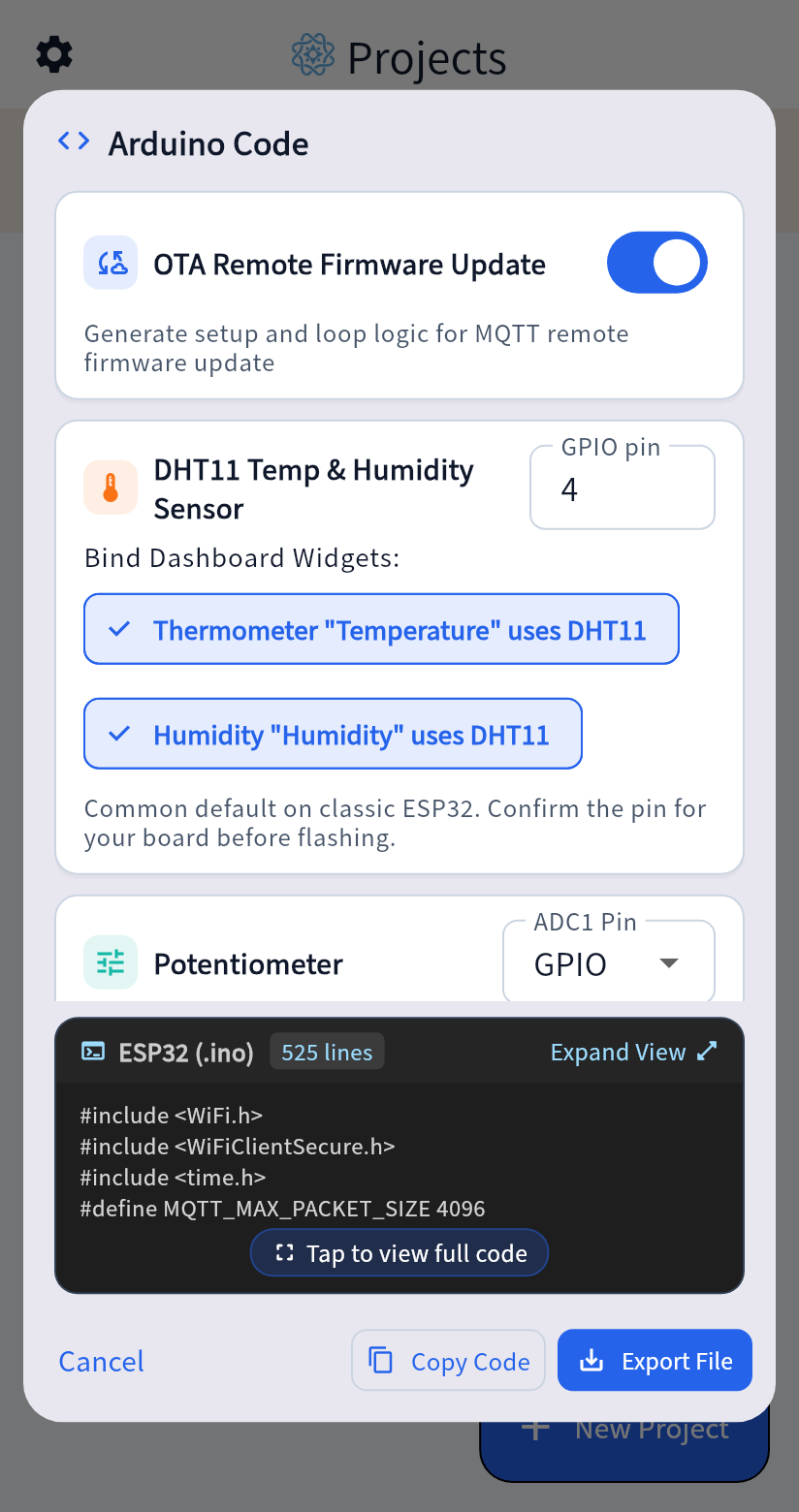
WizDash Arduino code generator showing OTA toggle, DHT11 pin binding, and .ino preview
OTA UPDATE · Remote maintenance

MQTT HTTPS OTA firmware updates

Paste an HTTPS firmware URL and SHA-256 digest in an MQTT project to trigger an update (checksum verifies file digest only).
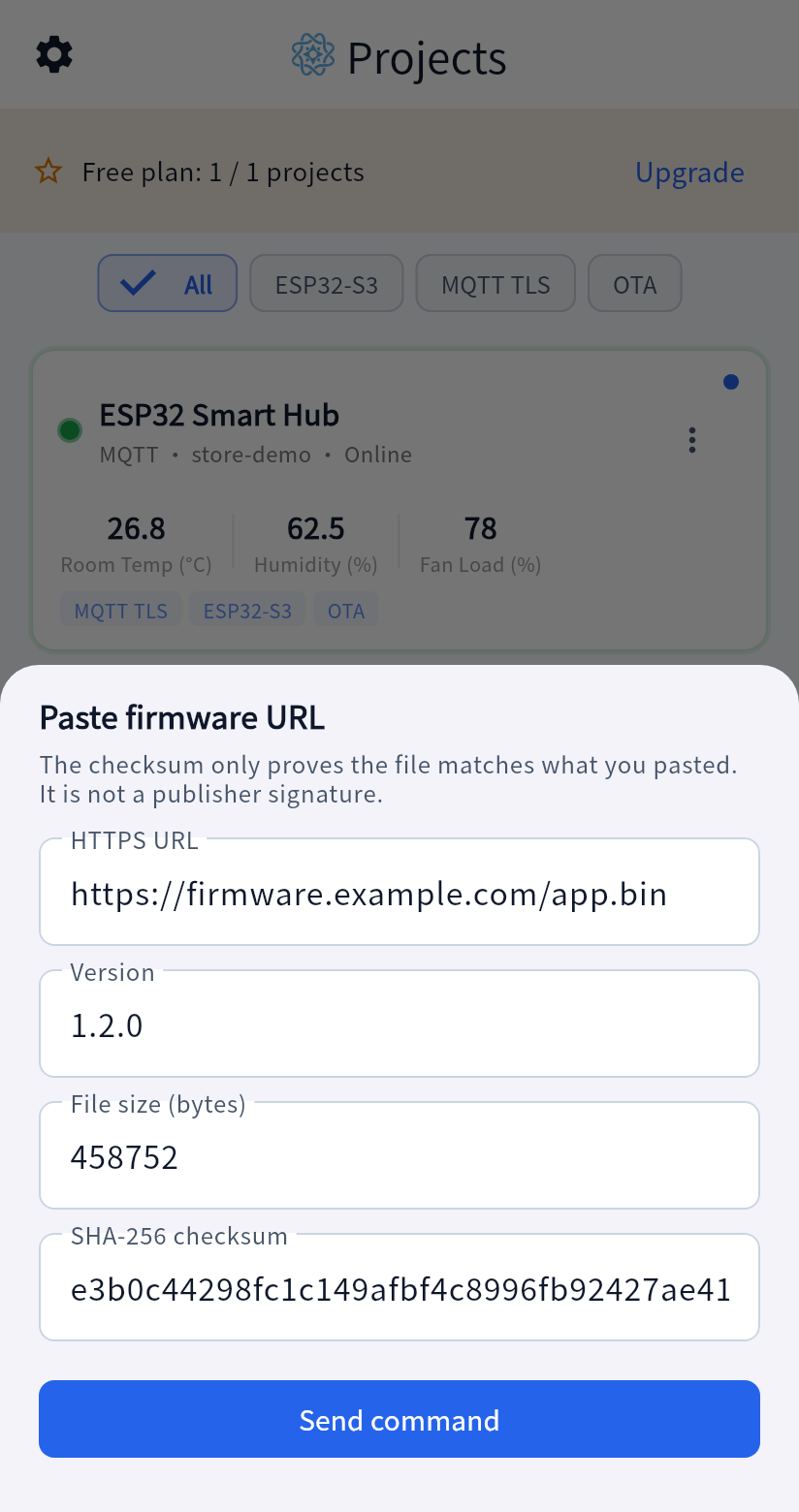
WizDash OTA update sheet with HTTPS URL, version, byte size, and SHA-256 checksum fields
24 WIDGETS & TRANSPARENT PLANS

Twenty-four widgets & straightforward plans

Every control and display widget maps to firmware by a JSON key. Start free, or unlock everything with a one-time purchase

Controls

Send JSON key-value commands to your ESP32 firmware immediately on tap, toggle, or drag.

ButtonSwitchSliderJoystickRGB Color PickerNumber Input & Selectors

Displays

Parse incoming JSON payloads from ESP32 and visualize live readings in real time.

ThermometerHumidity Wave BallGaugeLive Line ChartSerial TerminalMap & Value Cards

Layout

Organize sections and visual cues. Icons and spacers do not count toward the free widget limit.

Text LabelIcon (not counted)Custom ImageSpacer (not counted)
Free tier

Free

1 project, with 10 functional widgets in that project. Icons and spacers are not counted. Text labels and images are counted.

One-time purchase · No subscription

Full version

A one-time purchase, with no subscription. It removes the limits on projects and functional widgets.